# OpenCart Products

This guide will support updating Viking Importing's new online store products, focusing on improved clarity and Search Engine Optimization.

The document outlines a systematic approach to update product information, including titles, descriptions, filters, metadata, tags, model numbers, SKUs, prices, attributes, and product quantities, weights, and dimensions.

---

GENERAL - PRODUCT SETTINGS

---

##### Title

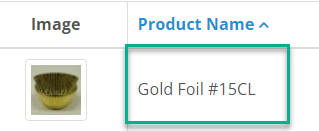
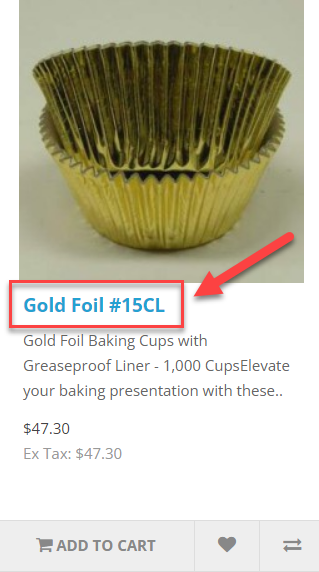
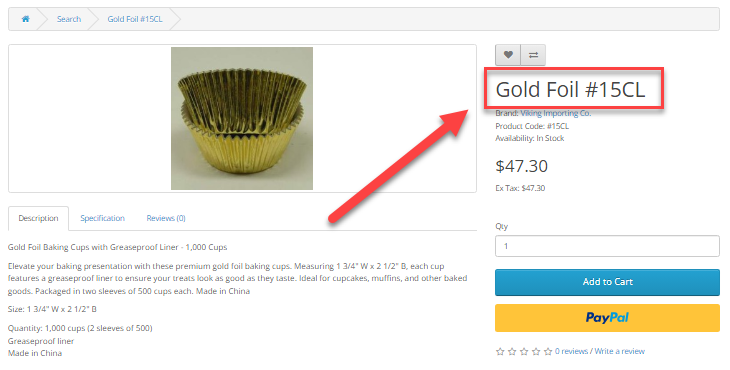
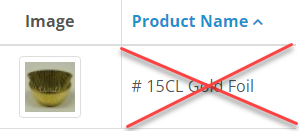
Change old title: "# 15CL Gold Foil" to more human readable title: "Gold Foil #15CL"

[![image.png](https://kb.epesi.org/uploads/images/gallery/2024-06/scaled-1680-/NYBjd9sNR2wiR58K-image.png)](https://kb.epesi.org/uploads/images/gallery/2024-06/NYBjd9sNR2wiR58K-image.png)

Ensure your titles don't have any spaces between the hashtag (#) and the number. For example, instead of "# 15CX" (with space), use "#15CX" (no space). Search engines will treat it as a single word and will be more local search friendly.

<table border="1" id="bkmrk-bad-good" style="border-collapse: collapse; width: 100%;"><colgroup><col style="width: 50%;"></col><col style="width: 50%;"></col></colgroup><tbody><tr><td class="align-center">BAD</td><td class="align-center">GOOD</td></tr><tr><td>[![image.png](https://kb.epesi.org/uploads/images/gallery/2024-06/scaled-1680-/bUiIPacUlETBZgxF-image.png)](https://kb.epesi.org/uploads/images/gallery/2024-06/bUiIPacUlETBZgxF-image.png)

</td><td>[![image.png](https://kb.epesi.org/uploads/images/gallery/2024-06/scaled-1680-/g21HqUWkGYynG3Pf-image.png)](https://kb.epesi.org/uploads/images/gallery/2024-06/g21HqUWkGYynG3Pf-image.png)</td></tr></tbody></table>

Result:

<table border="1" id="bkmrk--2" style="border-collapse: collapse; width: 100%;"><colgroup><col style="width: 24.8407%;"></col><col style="width: 75.1346%;"></col></colgroup><tbody><tr><td>[![image.png](https://kb.epesi.org/uploads/images/gallery/2024-06/scaled-1680-/k2o9D8UCSWrf7egO-image.png)](https://kb.epesi.org/uploads/images/gallery/2024-06/k2o9D8UCSWrf7egO-image.png)

</td><td>[![image.png](https://kb.epesi.org/uploads/images/gallery/2024-06/scaled-1680-/5Te6Cnz5vw7NiNTy-image.png)](https://kb.epesi.org/uploads/images/gallery/2024-06/5Te6Cnz5vw7NiNTy-image.png)

</td></tr></tbody></table>

##### Description 

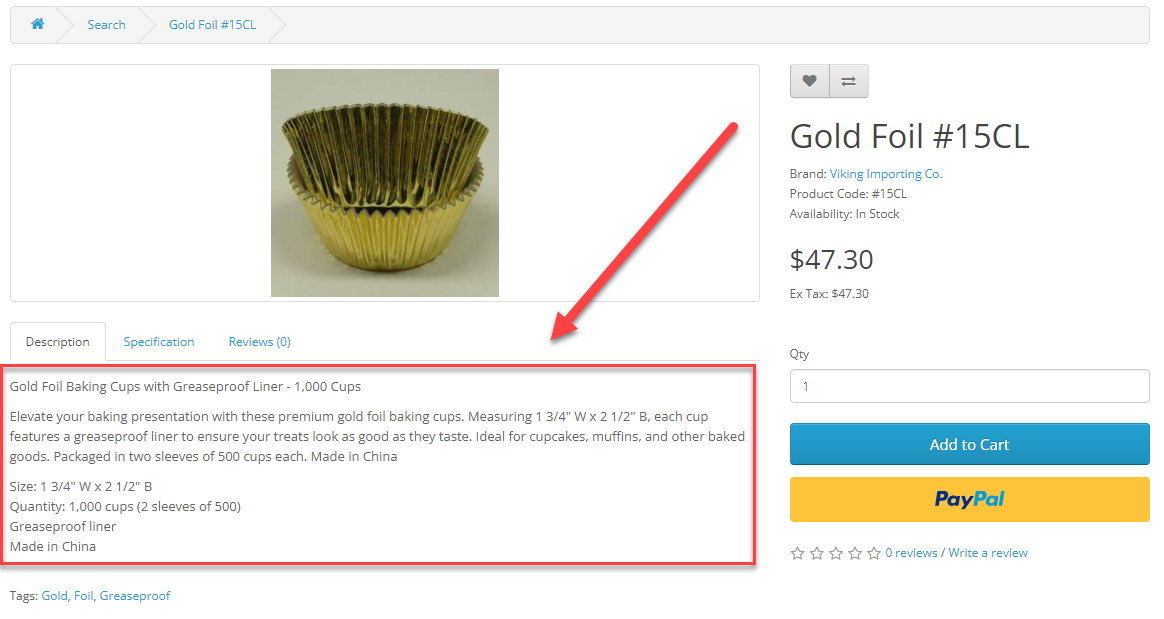
This informative description template includes a detailed title, a catchy description, and precise cup specification.

[![image.png](https://kb.epesi.org/uploads/images/gallery/2024-06/scaled-1680-/Uz3BPc6SYCBCiFuE-image.png)](https://kb.epesi.org/uploads/images/gallery/2024-06/Uz3BPc6SYCBCiFuE-image.png)

To generate descriptions for another product simply replace the highlighted green sections with the specific colors, sizes and quantity of your cups.

Here's an example, that you can use as a template:

<table border="1" id="bkmrk-gold-foil-baking-cup" style="border-collapse: collapse; width: 100%;"><colgroup><col style="width: 99.8765%;"></col></colgroup><tbody><tr><td><span style="color: rgb(22, 145, 121);">**Gold Foil**</span> Baking Cups with **<span style="color: rgb(22, 145, 121);">Greaseproof Liner</span>** - **<span style="color: rgb(22, 145, 121);">1,000</span>** Cups

Baking presentation with premium <span style="color: rgb(22, 145, 121);">**gold foil**</span> baking cups. Measuring <span style="color: rgb(22, 145, 121);">**1 3/4" W x 2 1/2" B**</span>, each cup features a <span style="color: rgb(22, 145, 121);">**greaseproof liner**</span> to ensure your treats look as good as they taste. Ideal for cupcakes, muffins, and other baked goods. Packaged in <span style="color: rgb(22, 145, 121);">**two sleeves of 500**</span> cups each. <span style="color: rgb(22, 145, 121);">**Made in China**</span>

Size: <span style="color: rgb(22, 145, 121);">**1 3/4" W x 2 1/2" B**</span>  
Quantity: <span style="color: rgb(22, 145, 121);">**1,000 cups (2 sleeves of 500)**</span>  
Material: <span style="color: rgb(22, 145, 121);">**Foil, Greaseproof liner**</span>  
Made in <span style="color: rgb(22, 145, 121);">**China**</span>

</td></tr></tbody></table>

Result:

<table border="1" id="bkmrk--4" style="border-collapse: collapse; width: 100%;"><colgroup><col style="width: 99.8765%;"></col></colgroup><tbody><tr><td>[![image.png](https://kb.epesi.org/uploads/images/gallery/2024-06/scaled-1680-/bEk1GiBXI30nPl3J-image.png)](https://kb.epesi.org/uploads/images/gallery/2024-06/bEk1GiBXI30nPl3J-image.png)

</td></tr></tbody></table>

#####  

##### Meta Tag Title, Description and Keywords


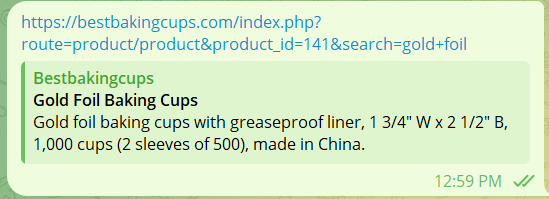
Use following meta data example as a template for all products in Baking Cups category.

[![image.png](https://kb.epesi.org/uploads/images/gallery/2024-06/scaled-1680-/oLUGtIzMqvqHK5HA-image.png)](https://kb.epesi.org/uploads/images/gallery/2024-06/oLUGtIzMqvqHK5HA-image.png)

To update metadata for each product, replace the highlighted green sections with the specific colors, sizes and quantity of your cups.

<table border="1" id="bkmrk-meta-tag-title-gold-" style="border-collapse: collapse; width: 100%;"><colgroup><col style="width: 28.0572%;"></col><col style="width: 71.9181%;"></col></colgroup><tbody><tr><td>Meta Tag Title

</td><td><span style="color: rgb(22, 145, 121);">**Gold Foil**</span> Baking Cups</td></tr><tr><td>Meta Tag Description

</td><td><span style="color: rgb(22, 145, 121);">**Gold foil** </span>baking cups with <span style="color: rgb(22, 145, 121);">**greaseproof liner**</span>, <span style="color: rgb(22, 145, 121);">**1 3/4" W x 2 1/2" B**</span>, <span style="color: rgb(22, 145, 121);">**1,000**</span> cups (<span style="color: rgb(22, 145, 121);">**2 sleeves of 500**</span>), made in <span style="color: rgb(22, 145, 121);">**China**</span>.</td></tr><tr><td>Meta Tag Keywords

</td><td><span style="color: rgb(22, 145, 121);">**Gold foil** </span>baking cups, <span style="color: rgb(22, 145, 121);">**greaseproof liner**</span>, baking cups, cupcake liners, muffin cups, <span style="color: rgb(22, 145, 121);">**1 3/4 inch, 2 1/2 inch**</span>, baking supplies</td></tr></tbody></table>

Result:

<table border="1" id="bkmrk-a-product-link-witho" style="border-collapse: collapse; width: 100%;"><colgroup><col style="width: 40.8976%;"></col><col style="width: 59.0776%;"></col></colgroup><tbody><tr><td>A product link without metadata</td><td>[![image.png](https://kb.epesi.org/uploads/images/gallery/2024-06/scaled-1680-/L5QYAX2zUpg66BmT-image.png)](https://kb.epesi.org/uploads/images/gallery/2024-06/L5QYAX2zUpg66BmT-image.png)

</td></tr><tr><td>A product link with metadata completed</td><td>[![image.png](https://kb.epesi.org/uploads/images/gallery/2024-06/scaled-1680-/qoDz5kmJ2R3dpxel-image.png)](https://kb.epesi.org/uploads/images/gallery/2024-06/qoDz5kmJ2R3dpxel-image.png)

</td></tr></tbody></table>

##### Product Tags  


Tags allow you to find other products with the same tag. Enter color, material, occasion and other product specifications.

[![image.png](https://kb.epesi.org/uploads/images/gallery/2024-06/scaled-1680-/VNgwPZanMCIQhGWL-image.png)](https://kb.epesi.org/uploads/images/gallery/2024-06/VNgwPZanMCIQhGWL-image.png)

To update tags for each product, replace the highlighted green sections with the specific colors, sizes and material of your cups.

Examples:   
<span style="color: rgb(22, 145, 121);">**Gold, Foil, Greaseproof** <span style="color: rgb(0, 0, 0);">for <span style="color: rgb(22, 145, 121);"><span style="color: rgb(0, 0, 0);">product: </span></span>Gold Foil #15CL   
<span style="color: rgb(22, 145, 121);">**White, Paper, Greaseproof** <span style="color: rgb(0, 0, 0);">for <span style="color: rgb(22, 145, 121);"><span style="color: rgb(0, 0, 0);">product: #Tulip Cup - White</span></span></span></span>  
</span></span>

Result:

[![image.png](https://kb.epesi.org/uploads/images/gallery/2024-06/scaled-1680-/ZdhUvfwm4lXqnfA3-image.png)](https://kb.epesi.org/uploads/images/gallery/2024-06/ZdhUvfwm4lXqnfA3-image.png)

---

DATA - PRODUCT SETTINGS

---

##### Model  


[![image.png](https://kb.epesi.org/uploads/images/gallery/2024-06/scaled-1680-/VqnF84mhyrhirPsz-image.png)](https://kb.epesi.org/uploads/images/gallery/2024-06/VqnF84mhyrhirPsz-image.png)

Model should be completed with part of the product title as the following example below.

<table border="1" id="bkmrk-product-title-gold-f" style="border-collapse: collapse; width: 100%;"><colgroup><col style="width: 50%;"></col><col style="width: 50%;"></col></colgroup><tbody><tr><td>Product title</td><td>Gold Foil #15CL </td></tr><tr><td>Model</td><td>\#15CL</td></tr></tbody></table>

Result:

[![image.png](https://kb.epesi.org/uploads/images/gallery/2024-06/scaled-1680-/lI4qQz9WRAsS5gYX-image.png)](https://kb.epesi.org/uploads/images/gallery/2024-06/lI4qQz9WRAsS5gYX-image.png)

##### SKU 

The SKU (stock keeping unit) number is already updated in OpenCart eCommerce based on the data of the old LiteCart system.

[![image.png](https://kb.epesi.org/uploads/images/gallery/2024-06/scaled-1680-/wRBtCvSWT71utiDh-image.png)](https://kb.epesi.org/uploads/images/gallery/2024-06/wRBtCvSWT71utiDh-image.png)

##### Price  


Product price is already updated in OpenCart eCommerce based on the data of the old LiteCart system.

[![image.png](https://kb.epesi.org/uploads/images/gallery/2024-06/scaled-1680-/rzzgTDarR79mZUHE-image.png)](https://kb.epesi.org/uploads/images/gallery/2024-06/rzzgTDarR79mZUHE-image.png)

##### Quantity, Weight, and Dimensions  


Updating products quantity, weight, and dimensions require copy and paste values from LiteCart Administrator panel.

[![image.png](https://kb.epesi.org/uploads/images/gallery/2024-06/scaled-1680-/IFnwq37PKmNeO0Wc-image.png)](https://kb.epesi.org/uploads/images/gallery/2024-06/IFnwq37PKmNeO0Wc-image.png)

You will find quantity, weight, and dimensions in LiteCart Product Catalog &gt; \[chosen product\] &gt; Stock.

[![image.png](https://kb.epesi.org/uploads/images/gallery/2024-06/scaled-1680-/8K9CIYwz6FalvTsP-image.png)](https://kb.epesi.org/uploads/images/gallery/2024-06/8K9CIYwz6FalvTsP-image.png)

Result:

[![image.png](https://kb.epesi.org/uploads/images/gallery/2024-06/scaled-1680-/r0hgH5SCj6sndAZ2-image.png)](https://kb.epesi.org/uploads/images/gallery/2024-06/r0hgH5SCj6sndAZ2-image.png)

Product quantity, weight, and dimensions are essential for accurate UPS package counting and pricing.

[![image.png](https://kb.epesi.org/uploads/images/gallery/2024-06/scaled-1680-/EHPXt5VrBTsr4SoF-image.png)](https://kb.epesi.org/uploads/images/gallery/2024-06/EHPXt5VrBTsr4SoF-image.png)

---

LINKS - PRODUCT SETTINGS

---

Manufacturer and Categories settings are updated.

##### Filters

[![image.png](https://kb.epesi.org/uploads/images/gallery/2024-06/scaled-1680-/2oiNwjiw1SxyGHZ3-image.png)](https://kb.epesi.org/uploads/images/gallery/2024-06/2oiNwjiw1SxyGHZ3-image.png)

To update Filters choose them from the current Filters list that includes:

<table border="1" id="bkmrk-colors-red%2C-black%2C-p" style="border-collapse: collapse; width: 100%;"><colgroup><col style="width: 24.7148%;"></col><col style="width: 75.2605%;"></col></colgroup><tbody><tr><td>Colors</td><td>Red, Black, Pink, Blue, Green, Burgundy, White, Gold, Silver</td></tr><tr><td>Sizes</td><td>Mini, Standard, Large, Extra Large, Tart Size</td></tr><tr><td>Material</td><td>Foil, Glassine, Greaseproof</td></tr><tr><td>Special Occasion</td><td>Easter, Christmas, Valentines day, Birth, Party</td></tr></tbody></table>

This is an autocomplete field. Start typing the last word of the filter and the system will suggest available filters.

[![image.png](https://kb.epesi.org/uploads/images/gallery/2024-06/scaled-1680-/l3SagZquLBIpVmfm-image.png) ](https://kb.epesi.org/uploads/images/gallery/2024-06/l3SagZquLBIpVmfm-image.png)[![image.png](https://kb.epesi.org/uploads/images/gallery/2024-06/scaled-1680-/0mR4gCzeMoTAMdE6-image.png) ](https://kb.epesi.org/uploads/images/gallery/2024-06/0mR4gCzeMoTAMdE6-image.png)[![image.png](https://kb.epesi.org/uploads/images/gallery/2024-06/scaled-1680-/IFxFgFPuoUsm5AAG-image.png)](https://kb.epesi.org/uploads/images/gallery/2024-06/IFxFgFPuoUsm5AAG-image.png)

If you need more filters, you can update the list in Filters settings.

[![image.png](https://kb.epesi.org/uploads/images/gallery/2024-06/scaled-1680-/aHdohH7es9KW75W7-image.png)](https://kb.epesi.org/uploads/images/gallery/2024-06/aHdohH7es9KW75W7-image.png)

##### Reviews  


Please, ask your clients to take a minute to review products.

---

ATTRIBUTE - PRODUCT SETTINGS

---

##### Attribute  


[![image.png](https://kb.epesi.org/uploads/images/gallery/2024-06/scaled-1680-/yy6cyXBhxGpLYWbW-image.png)](https://kb.epesi.org/uploads/images/gallery/2024-06/yy6cyXBhxGpLYWbW-image.png)

Attributes will be visible on the product specification section.

[![image.png](https://kb.epesi.org/uploads/images/gallery/2024-06/scaled-1680-/RuN3YybICbDZvZbV-image.png)](https://kb.epesi.org/uploads/images/gallery/2024-06/RuN3YybICbDZvZbV-image.png)

To update Attributes choose them from the current Filters list that includes:

<table border="1" id="bkmrk-colors-red%2C-black%2C-p-0" style="border-collapse: collapse; width: 100%;"><colgroup><col style="width: 24.7158%;"></col><col style="width: 75.2595%;"></col></colgroup><tbody><tr><td>Colors</td><td>Red, Black, Pink, Blue, Green, Burgundy, White, Gold, Silver</td></tr><tr><td>Sizes</td><td>Mini, Standard, Large, Extra Large, Tart Size</td></tr><tr><td>Made in</td><td>China, USA, Sweden</td></tr><tr><td>Material</td><td>Foil, Glassine, Greaseproof</td></tr></tbody></table>

If you need more attributes, you can update the list in Attributes and Attributes Group settings.

[![image.png](https://kb.epesi.org/uploads/images/gallery/2024-06/scaled-1680-/nRRPZLRrTzHiARWc-image.png)](https://kb.epesi.org/uploads/images/gallery/2024-06/nRRPZLRrTzHiARWc-image.png)